CapCut: AI Editing, Exports and Feature Gates
Creators needing a flexible edit with selective AI assistance rather than a fully generated finished video.
What it does
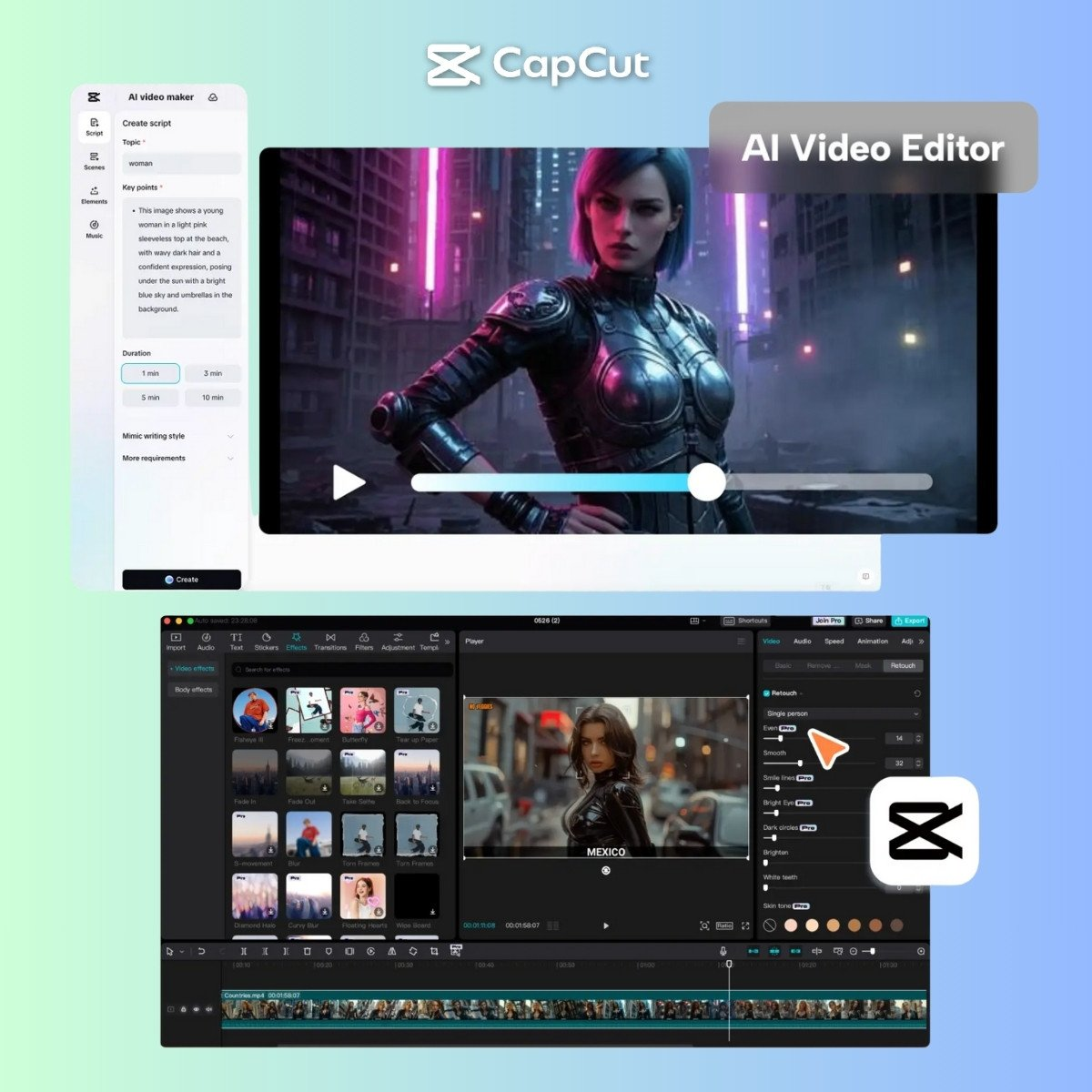
CapCut’s official AI-editor page presents an editing workflow with automated tools. Feature availability can differ by platform, account and region; this review does not treat every advertised feature as a free entitlement.
Who it suits
Evaluate the handoff to the final timeline as well as the first automated edit. Preserve source media, inspect any removed meaning and test a requested revision. A successful preview is incomplete evidence when project relinking or export is part of the job.
Try it on a real task
Use your own clip with captions, music and a resized sequence. Reopen the project and export the format required by your publishing channel.
- Save the original input and define acceptable output before viewing a result.
- Check editable project continuity, asset rights, export restrictions and correction time.
- Keep rejected attempts and the reasons for corrections, so the final choice reflects the whole workload.
The main limitation to inspect
A project can look finished in the editor while an asset, effect or export option introduces an upgrade requirement.
Pricing and purchase checks
Capture the current price, billing commitment, usage unit and feature gates for the operation you need. Include repeat attempts, exports and review time. Confirm the selected plan before relying on an allowance.
Related tools and workflow differences
- Jupitrr AI: Talking-Head Editing and B-Roll Fit — Experts turning a clear spoken explanation into an edited social video with relevant supporting visuals.
- Filmora: Timeline Editing and AI Feature Costs — Creators who need a conventional editable timeline plus selected automation features.
- Gling AI: Rough Cuts, Speech Edits and Export Handoff — Creators whose primary bottleneck is cleaning up a spoken recording before a final edit.
Is every CapCut AI function free?
No universal claim is made here. Check the exact operation and account route. A free download or entry page does not establish entitlement to every asset, effect or generation feature.
Sources and disclosure
Based on official product information. Confirm account-specific features and allowances before choosing a plan.
Public sources checked October 19, 2026. Use the suggested trial and checklist to evaluate your own results. No accuracy, revenue, time-saving or output-quality score is assigned.
Read our evidence and correction standards · Download the purchase checklist