
Submagic: Short-Video Captions and Finishing
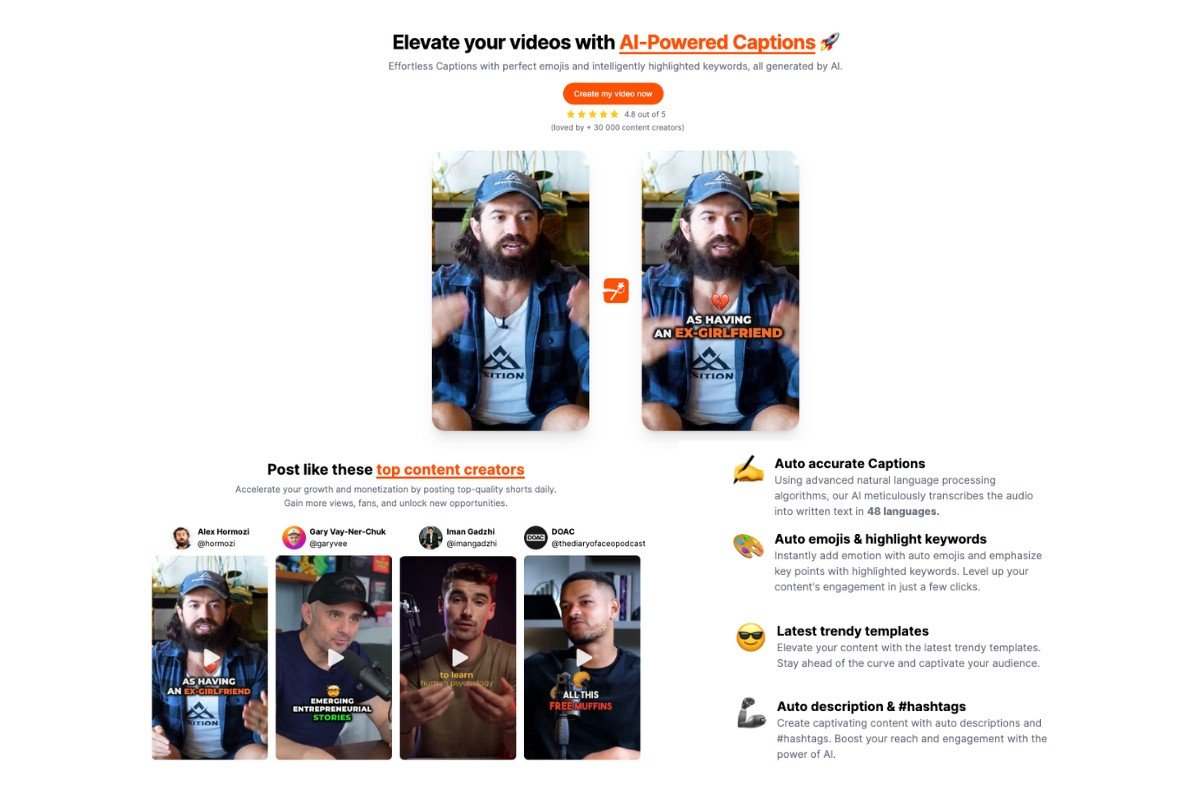
Creators finishing already-recorded short videos where readable captions and restrained emphasis matter.
What it does
Submagic’s public site focuses on AI-assisted short-video editing and captions. Its speed and virality language describes the provider’s proposition, not a result measured on this site.
Who it suits
The final exported video is the right place to inspect readability. Review names, numbers, punctuation and timing at phone size. Separate an editable caption track from an effect burned into a video, and confirm which deliverable you need.
Try it on a real task
Use a 45-second clip with a brand name, two numbers and a sentence that should not be split. Test caption placement in the final vertical frame.
- Save the original input and define acceptable output before viewing a result.
- Count word/timing corrections and review the export on a phone, not only in the editing interface.
- Keep rejected attempts and the reasons for corrections, so the final choice reflects the whole workload.
The main limitation to inspect
Incorrect punctuation or a misplaced line break can change meaning. Decorative emphasis can obscure a face or product.
Pricing and purchase checks
Capture the current price, billing commitment, usage unit and feature gates for the operation you need. Include repeat attempts, exports and review time. Confirm the selected plan before relying on an allowance.
Related tools and workflow differences
- Spikes Studio: Video Repurposing and Publishing Workflow — Teams repurposing existing interviews or broadcasts who also need to evaluate the publishing handoff.
- Jupitrr AI: Talking-Head Editing and B-Roll Fit — Experts turning a clear spoken explanation into an edited social video with relevant supporting visuals.
- Filmora: Timeline Editing and AI Feature Costs — Creators who need a conventional editable timeline plus selected automation features.
Are generated captions ready to publish?
Review names, numbers, punctuation, timing and placement in the final export. The useful measure is the time to an accurate readable caption track.
Sources and disclosure
Based on official product information. Confirm account-specific features and allowances before choosing a plan.
Public sources checked October 19, 2026. Use the suggested trial and checklist to evaluate your own results. No accuracy, revenue, time-saving or output-quality score is assigned.
Read our evidence and correction standards · Download the purchase checklist